
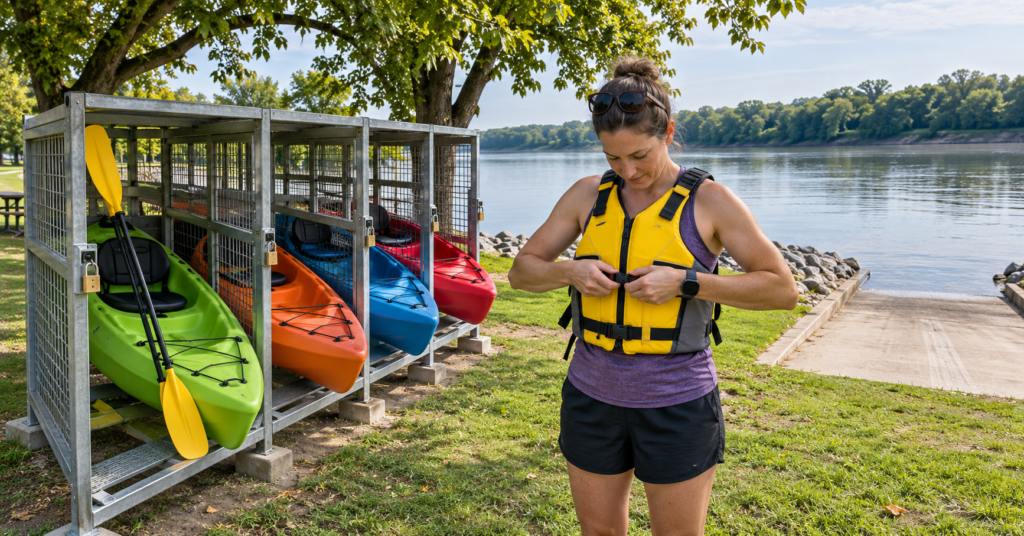
A self-service kayak station lets you arrange a paddle without transporting a boat, but the outing starts before you unlock the equipment. You need to know whether enough kayaks are available, how the rental clock works and whether the water conditions suit your experience.
Kesler Park kayak rentals give visitors a way to explore Quincy Bay on the Mississippi River. Plan the trip around a safe return to the same starting area, with time left to put away the equipment and finish the checkout process.
Find the Station and Check Availability
The rental location is Kesler Park, 800 Bonansinga Drive, on Quincy’s riverfront. SeeQuincy’s Kayak Quincy guide lists four kayaks available on a first-come basis. That is the published fleet size, not a promise that four boats will be ready when you arrive.
Check the station’s current listing and any closure notices before making the trip. Seasonal operation, maintenance or local conditions may affect what is available, so a general description of daily rentals should not be treated as confirmation for a particular date.
For a group, establish how many usable boats are available before anyone starts a paid session. A plan that requires everyone to launch together needs enough equipment for the whole party.
Have an alternative activity ready if the station cannot accommodate you.
Set Up the Current App Before Reaching the Water
Quincy’s program is offered through Rent.Fun. Older launch coverage refers to a Rent.Fun app, while the operator’s current instructions direct renters to Movatic. Those instructions describe creating an account, completing a waiver and scanning the station’s QR code to unlock equipment.
Follow the current instructions for the Kesler Park station and confirm that the app identifies the correct location before starting a rental.
Download and update the app beforehand, check your login and prepare the payment method it requests. At the park, make sure your phone has a working data connection. Movatic’s troubleshooting guidance identifies connectivity as important when starting, unlocking and ending a rental.
Bring a charged phone and protect it from water while keeping it accessible. You will need it after paddling as well as before departure.
Read the Price and Waiver Before Unlocking
The advertised Quincy rate is $25 for the first two hours and $15 per hour afterward, with paddles and life jackets included. Treat that as a planning figure and confirm the amount displayed for your selected rental.
Look beyond the headline price. Check whether the displayed amount applies to one kayak, whether taxes or other charges are added and how part of an additional hour is billed.
Establish when the timer begins and what action stops it. Allow for taking equipment out, carrying it to the launch and putting it away again.
Read the waiver and rental terms for damage, missing equipment and interrupted outings. Before accepting, clarify what happens if a locker fails to open, the supplied equipment is unsuitable or conditions prevent launching. Keep the rental confirmation so any later billing question can be tied to the correct session.
Check That Every Paddler Fits the Equipment
SeeQuincy states that a renter must be 18 or older to check out. That checkout requirement does not, by itself, answer whether younger people may paddle, what supervision is required or which equipment would suit them. Confirm those arrangements before planning a family outing.
Check the kayak’s passenger and weight limits, including the weight of belongings you intend to carry. Do not assume a child can share a seat or that tandem kayaks are available.
Try on the life jacket before launching. The U.S. Coast Guard advises checking its label for the intended user’s weight and chest size. Fasten and adjust it properly, and wear it throughout the outing. An included jacket still needs to fit the person using it.
Inspect the boat, paddle, seat and straps. Report damage or missing items immediately and do not launch with equipment you cannot use safely.
Look at the Launch Before Starting the Rental
The Quincy Park District’s Kesler Park information confirms a boat launch, restrooms, picnic facilities and playground equipment. Check which facilities are accessible on the day rather than assuming every amenity operates year-round.
Walk over to the intended entry point before unlocking a boat. Assess the carrying distance, footing and space available to get into and out of the kayak. Consider whether everyone in your group can manage both the launch and the return.
Keep the ramp and vehicle maneuvering areas clear while organizing belongings. Prepare away from the water’s edge, then move into the launch area when ready.
Anyone needing assistance with lifting, balance or transferring into the boat should confirm suitable arrangements beforehand. A self-service station does not establish that hands-on help will be waiting.
Check Weather and Water Conditions Separately
Review the local forecast for wind, storms and visibility, along with current river information. The U.S. Army Corps of Engineers maintains a Mississippi River gauge at Quincy. Check the timestamp on any reading or forecast you use; an old value is not a current assessment.
A gauge reading alone does not tell you whether the launch is clear, whether debris is present or whether conditions are suitable for your skills. Review local notices and assess the water on arrival. An available rental in the app is not a safety clearance.
Water temperature matters even on a pleasant afternoon. The National Weather Service’s cold-water guidance explains that warm air can coexist with dangerously cold water and recommends dressing for the water temperature.
Postpone when wind, current, storms or cold-water exposure exceed your preparation. Getting the rental started is never a reason to continue with an unsuitable outing.
Choose a Route Within Your Experience
Ask about the intended paddling area and any boundaries or hazards before leaving shore. Do not turn a short Quincy Bay rental into an unplanned trip across the Mississippi’s navigation channel.
The Mississippi River Water Trail Association’s safety guidance recommends keeping early outings to calm backwaters, paddling within your abilities and learning capsize recovery. It also warns that commercial tows have limited maneuverability and require substantial clearance.
For someone without paddling experience, instruction before an unguided rental is a sensible first step. Being able to unlock a kayak does not demonstrate that you can control it or recover after a capsize.
Paddle with a companion and agree on a turnaround point. Leave a simple float plan with someone ashore: who is going, the intended area, the launch location and the expected return time. Adjust the distance to the least experienced paddler.
Leave Time for the Full Return
The published operating window is sunup to sundown. Choose your start time so you can return, carry the equipment back and complete the rental before the station closes.
Build in a margin for a slower paddle back, a busy launch or difficulty repacking. Reaching shore at the end of the paid period may leave no time to complete the remaining tasks.
Keep water, necessary personal items and a means of communication secured appropriately. Agree that anyone feeling tired, cold or uncomfortable can call for an earlier return.
Confirm the Rental Has Ended Before Leaving
Return all supplied equipment to the designated storage location and follow the station’s locking instructions. Movatic’s user guidance distinguishes returning and securing the equipment from ending the session in the app; complete both steps.
Follow any photo prompts and wait for the completion confirmation. Review the recorded duration and charge, then retain the receipt.
When the app will not end the session, check the connection and whether the lock has closed correctly. Use the support option while still at the station, and record the equipment number, time and problem. Movatic identifies both connectivity and incomplete locking as possible reasons a rental cannot be ended.
Do not assume that closing the app stops billing or leave equipment unsecured while trying to resolve a technical problem.
Note: Rates, app instructions, availability and operating conditions can change. Confirm the current Kesler Park listing before paying. For advance local questions, SeeQuincy lists 800-978-4748; use the rental operator’s support channel for an active rental problem.